v1.0.1 · Free · Open source · Rust
Your Claude limits,as a neon pixel gauge
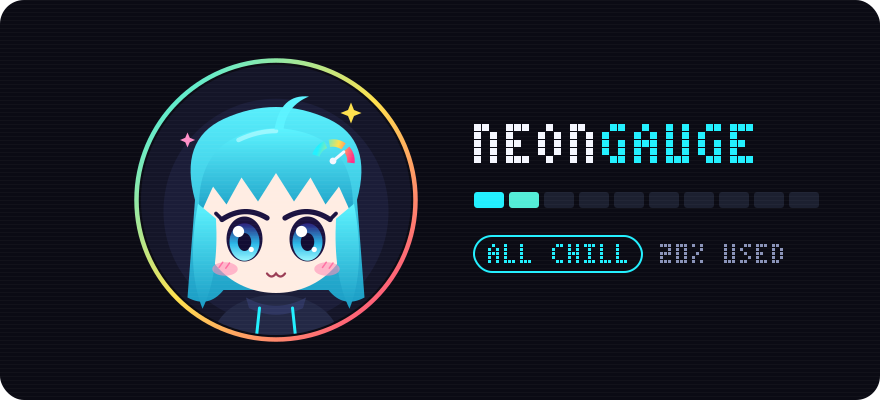
A tiny always-on-top Claude usage tracker that shows how much of your 5-hour session and weekly limit you have used, counts down to the reset, and has a mascot that panics for you before you hit the wall. Written in Rust as a single ~8 MB binary, so it can stay open all day.
Built with Rust · Windows · macOS · Linux

- single native Rust binary
- ~8 MB
- single native Rust binary
- dots on the whole display
- 104×48
- dots on the whole display
- mascot moods
- 5
- mascot moods
- times it writes your token
- 0
- times it writes your token
MOOD METER
It feels it so you don’t have to
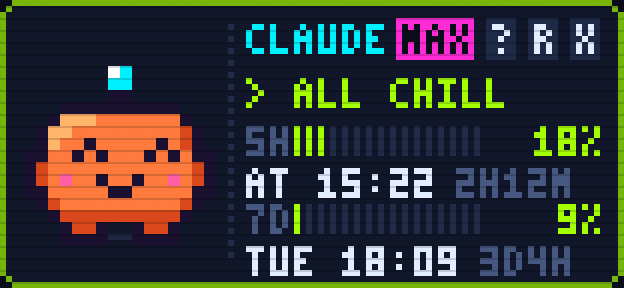
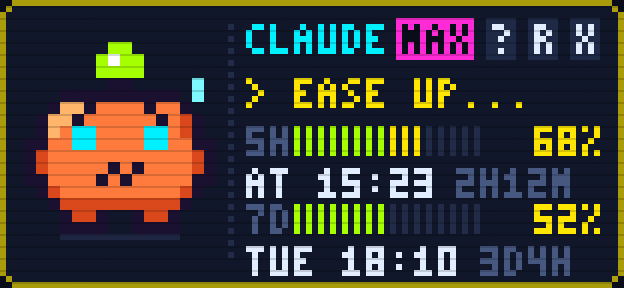
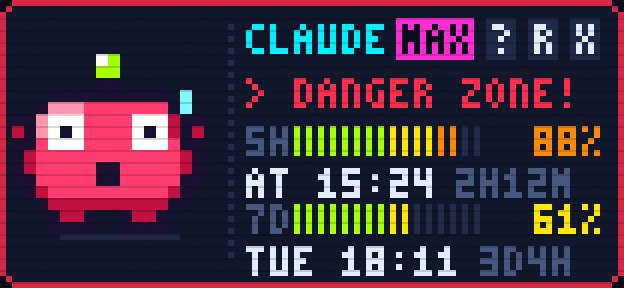
A 16×16 pixel mascot changes its face and moves with whichever limit is higher, the 5-hour session or the weekly one. Drag the slider to try it.
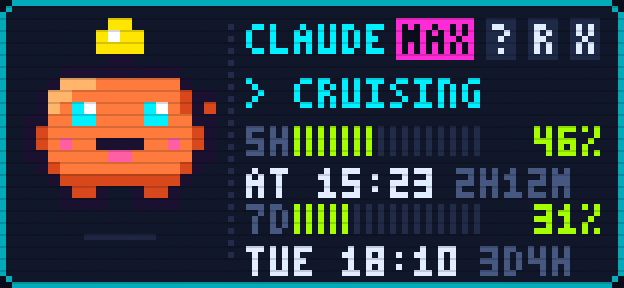
★ Every image is a real screenshot of the NeonGauge app
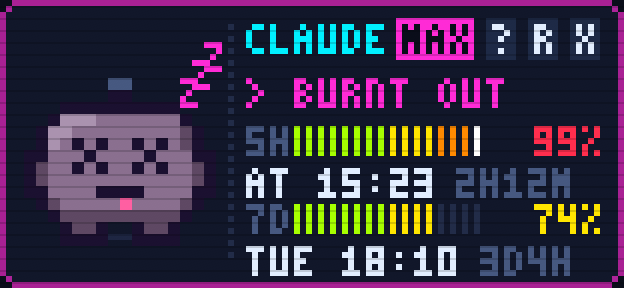
> CRUISING
Glowing cyan eyes, hops and waves. Going nicely.
FEATURES
Tiny window, full kit
Everything you need to never run out of Claude mid-task, in a window the size of a stamp.
Two limits, one glance
Segmented neon bars for the 5-hour session (5H) and weekly (7D) limits, with reset times and countdowns.
Usage alerts
Warning and critical thresholds (80% and 95% by default) with an 8-bit alarm and/or a desktop notification. Keeps working while hidden in the tray.
Local history
Every reading is stored on your computer and shown as a 24-hour line chart and a 7-day chart of daily peaks. No extra network traffic.
Settings, no code
Refresh interval, window size, opacity, always on top, alert thresholds, sounds and volume, all in a Settings window.
Lives in the tray
Starts with your system and hides in the tray on Windows and macOS. Hover the icon to see the latest numbers.
Chiptune SFX
Startup jingle, clicks, refresh, warnings and resets, all synthesised in code. Not a single audio file.
Built with Rust
Something that stays open all day has to be light. NeonGauge is a single native binary of about 8 MB, with no runtime to install and no hidden browser like an Electron app. The window is drawn directly with egui, and the same code builds for Windows, macOS and Linux.
INSIDE THE APP
Just as cute on the inside
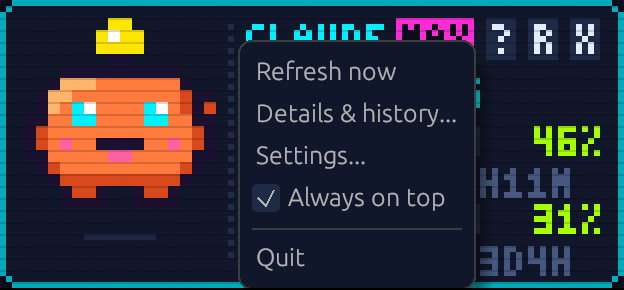
Click ? for details and history, right-click anywhere for the menu, drag anywhere to move it.
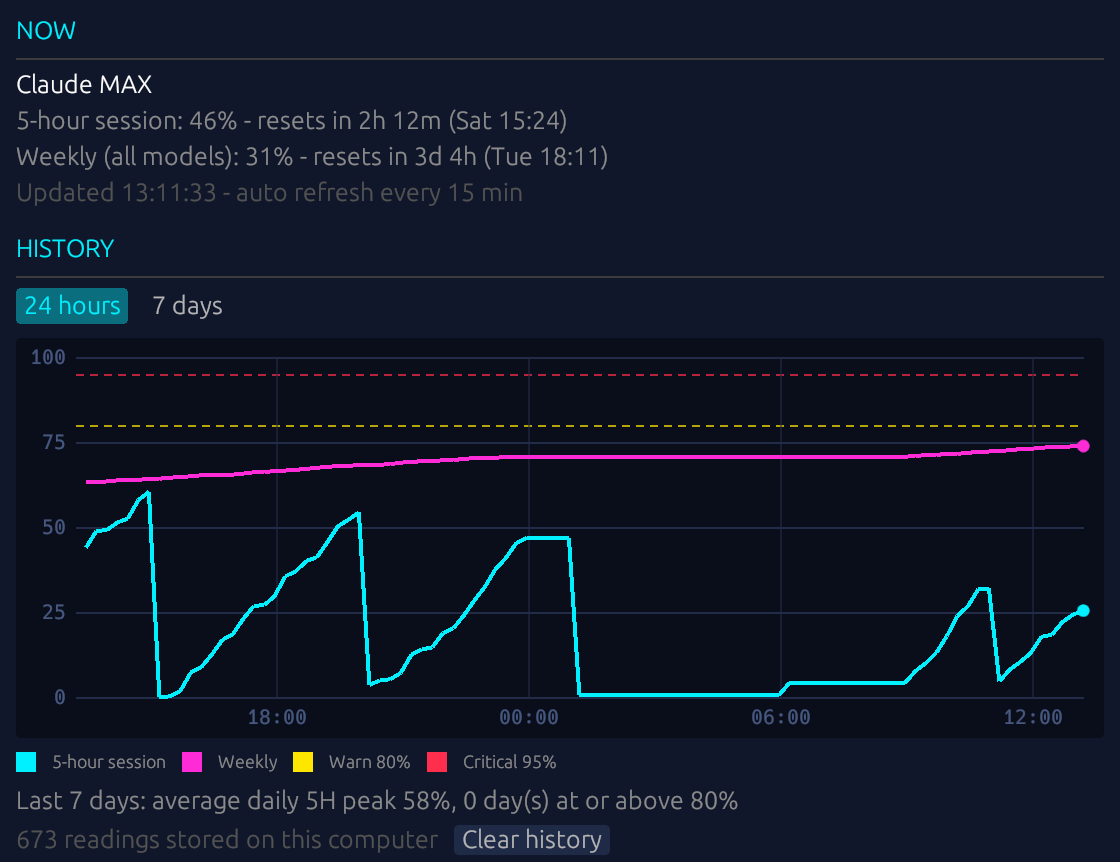
Details & History
A 24-hour line chart of both limits with warning and critical lines. Switch to a 7-day chart of daily peaks.
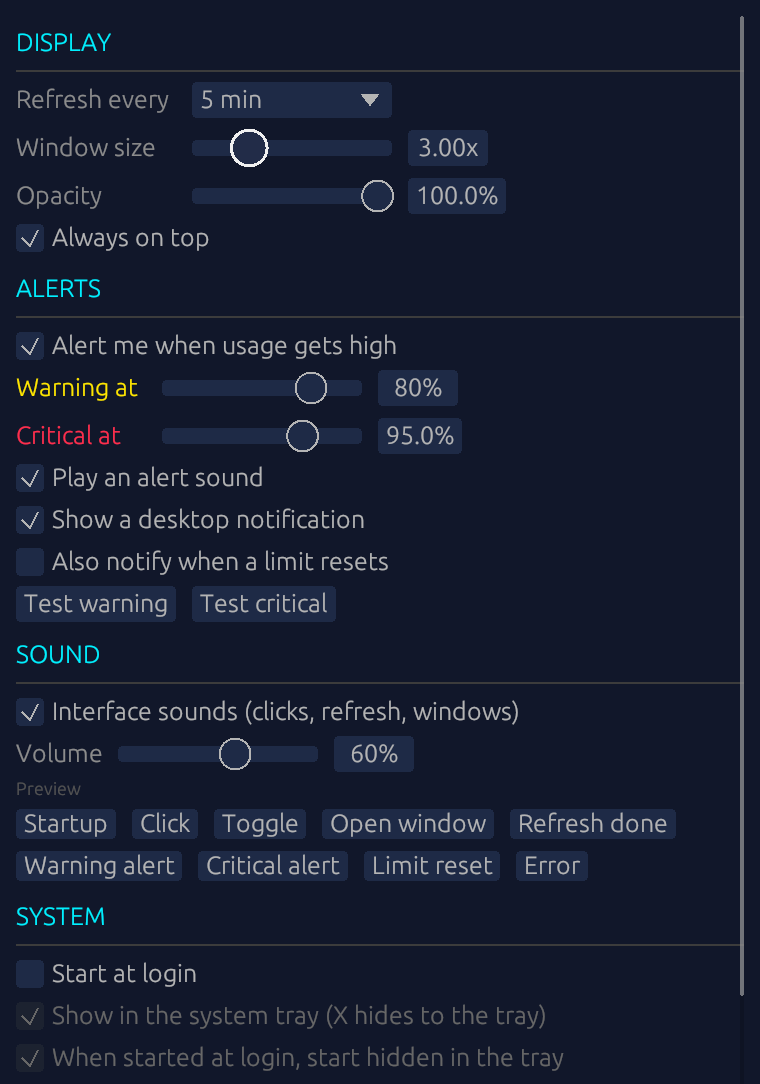
Settings
Every option on one page, plus a preview button for every chiptune sound.
Right-click
Refresh now, open history or settings, toggle always on top, or quit.
HOW IT WORKS
Read-only. Your token stays untouched.
NeonGauge reuses the token Claude Code already stores to ask for your usage numbers. Everything else stays on your machine.
- 01
Read the token
Windows and Linux read ~/.claude/.credentials.json. macOS reads the "Claude Code-credentials" Keychain item. It only reads: never modifies, never refreshes.
- 02
Ask for usage
Calls GET api.anthropic.com/api/oauth/usage on your chosen interval, and backs off on its own when rate-limited (HTTP 429).
- 03
Draw it in pixels
Renders on a 104×48 dot grid with a hand-made 3×5 bitmap font, pixel-snapped dots and CRT scanlines.
Where things are stored
| File | Windows | macOS | Linux |
|---|---|---|---|
| Settings | %APPDATA%\NeonGauge\settings.json | ~/Library/Application Support/NeonGauge/settings.json | ~/.config/NeonGauge/settings.json |
| History | %LOCALAPPDATA%\NeonGauge\history.csv | ~/Library/Application Support/NeonGauge/history.csv | ~/.local/share/NeonGauge/history.csv |
INSTALL
Up and running in a minute
Grab a build, or compile it yourself with Rust.
Download a build
Pick the file for your OS from the GitHub Releases page.
- Windows
- macOS
- Linux
You will need
- Claude Code logged in with a claude.ai Pro or Max account
- If the token expires, open Claude Code once to refresh it
- The system tray is available on Windows and macOS
Build from source
Requires the Rust toolchain.
git clone https://github.com/Faris4166/NeonGauge.git
cd NeonGauge
cargo run --release
Preview every mood without burning your limit
Set an environment variable, then launch the app.
# PowerShell
$env:NEONGAUGE_DEMO = "sweep"   # or 85

# macOS / Linux
NEONGAUGE_DEMO=sweep cargo run --release
SUPPORT
Buy the mascot a snack
NeonGauge is free and open source, and always will be. If it has saved you from hitting a limit mid-task, you can chip in for a coffee. Every bit buys time for new features.
You pay on Stripe’s own page. This site never sees your card details.
FAQ
Questions
Is NeonGauge made by Anthropic?
No. It is an unofficial, fan-made tool and is not affiliated with Anthropic.
Is my token safe?
The app only reads the token Claude Code stores. It never modifies or refreshes it, and only sends it to Anthropic’s API. All the code is open on GitHub.
Does it cost anything?
It is completely free and open source under the Apache-2.0 license.
Why do the numbers sometimes stop updating?
The usage endpoint is not a documented public API and may change. If you see an error, open Claude Code to refresh your token, then press R.
How long is history kept?
35 days, and it never leaves your machine. Use Clear history in the History window to delete it at any time.
Why Rust?
It sits open all day, so it has to stay light. Rust compiles to a single native binary of about 8 MB, with no runtime to install and no bundled browser like an Electron app. The window is drawn directly with egui, and the same code builds for Windows, macOS and Linux.
Let the mascot watch your limits
Install it once and stop guessing how much you have left.